 Loading... Please wait...
Currency Displayed in


- Home
- Touch Screen Assembly-No Bezel
- Asus Ux363ea-2k Oled 13.3" Uhd Wv 90nb0rz2-r22000 Screen Display
Categories
Currency Converter
Related Products
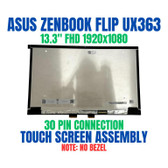


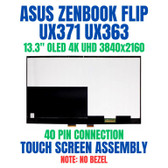
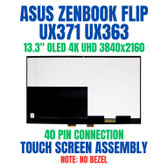
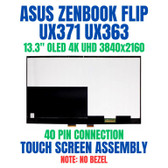
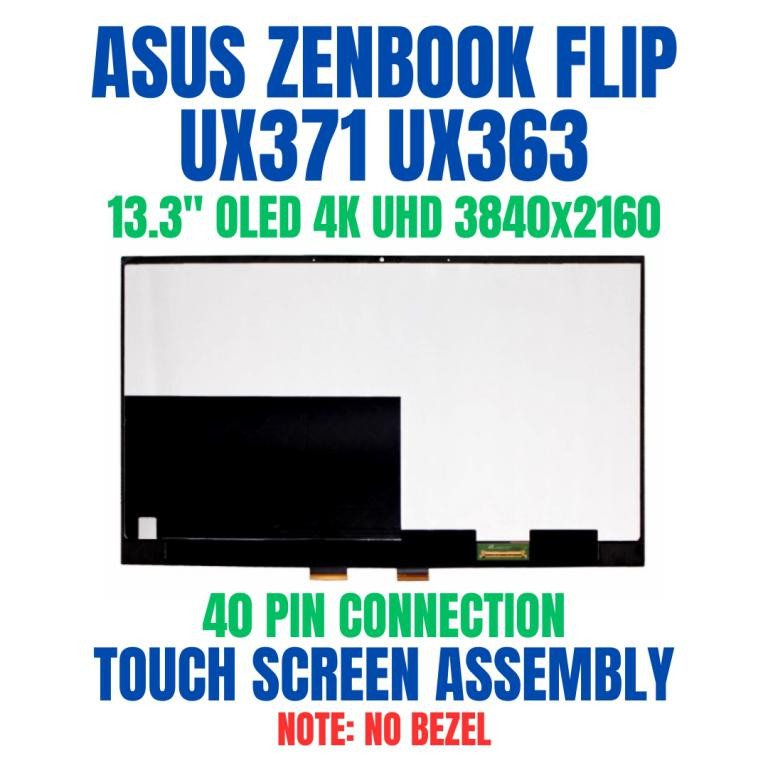
Asus Ux363ea-2k Oled 13.3" Uhd Wv 90nb0rz2-r22000 Screen Display
Hover over image to zoom


$225.00
SKU:
B342579-2908
Condition:
New
Availability:
Available for online orders only. No rush shipping.
Shipping:
Calculated at checkout
)
| We are actively restocking products. |
Product Description
.Asus Ux363ea-2k Oled 13.3" Uhd Wv 90nb0rz2-r22000 Screen Display
Tip Installation may require some experience, so if you are new to repairs, consider getting help from a senior technician for the best outcome. You can also check our video to get an overall idea of the removal process.
You may refer to the video here.
Order Pre-Verification Strongly Recommended.Does it ✓ FIT your system? [Use our Pre Verification help.]
|
- Size: 13.3"

- Resolution: UHD
- Pixels: 3840 x 2160
- Backlight Type: OLED
- Backlight Lamp: DIODE
- Connector: EDP
- Pin Connection: 40 Pins
- Side: Bottom Right
- Frame: Narrow Frame
- Finish: Transparent
- Condition: NEW
- Commodity: Touch Screen Assembly-No Bezel
- Technology: 4K, OLED, Touch
- Dead Pixel Policy: In Accordance with ISO 13406-2 norm.
- Source: Factory Direct
- Packaging: Fragile Customized Package
- Compatibility: OEM
- Warranty Information: Covered by 30-day replacement warranty.
90NB0RZ2-R22000
Asus 90NB0RZ2-R22000
ATNA33TP11-1
Asus 90NB0RZ2-R22000 ATNA33TP11
ATNA33TP11
90NB0RZ2-R22002
90NB0RZ2-R22001
302 LCD ATNA33TP11-1
ATNA33TP11 90NB0RZ2-R22002
FP-ST133SN108AKF-02X
Asus 90NB0RZ2-R22000
ATNA33TP11-1
Asus 90NB0RZ2-R22000 ATNA33TP11
ATNA33TP11
90NB0RZ2-R22002
90NB0RZ2-R22001
302 LCD ATNA33TP11-1
ATNA33TP11 90NB0RZ2-R22002
FP-ST133SN108AKF-02X
Asus Notebook U Series UX363EA
ASUS ZenBook Flip S13 OLED UX371 UX371E UX371EA UX371EA-XB76T UX371EA-XH76T UX371EA-XH77T (OLED Type)
ASUS ZenBook Flip S UX371EA-XH77T
ASUS ZenBook Flip S UX371
ASUS ZenBook Flip S UX371EA-XH77T UX371EA-XB76T
New ZenBook Flip S Ultra Slim Laptop UX371EA-XH77T
ASUS UX371EA-PURE4
ux371ea-xh77t
ASUS UX371EA-XB76T
ux371ea-xh76t
_ASUS ZenBook Flip S 13 UX371E LCD PANEL
ASUS ZenBook Flip S13 OLED UX371 UX371E UX371EA UX371EA-XB76T UX371EA-XH76T UX371EA-XH77T (OLED Type)
ASUS ZenBook Flip S UX371EA-XH77T
ASUS ZenBook Flip S UX371
ASUS ZenBook Flip S UX371EA-XH77T UX371EA-XB76T
New ZenBook Flip S Ultra Slim Laptop UX371EA-XH77T
ASUS UX371EA-PURE4
ux371ea-xh77t
ASUS UX371EA-XB76T
ux371ea-xh76t
_ASUS ZenBook Flip S 13 UX371E LCD PANEL
UX363EA-2K OLED 13.3' UHD WV COVER
Title - ASUS 90NB0RZ2-R22000, UX363EA-2K
Title - ASUS 90NB0RZ2-R22000, UX363EA-2K
Display Without Bezel Casing & Digitizer Board
This listed display comes without the bezel casing and digitizer board. Installation requires proper tools to carefully remove the existing digitizer board and bezel casing from your old screen and transfer them to the new display. Its recommended that this process be done by a senior technician for the best results.
You may refer to the video here.
Product Videos
Replacement Asus ZenBook Flip UX371 UX363 13.3" 4K OLED UHD Touch Screen Assembly No Bezel #2908
-
 Replacement Asus ZenBook Flip UX371 UX363 13.3" 4K OLED UHD Touch Screen Assembly No Bezel #2908https://www.blisscomputers.net/replacement-asus-zenbook-flip-s...


Warranty Information
The product of Asus Ux363ea-2k Oled 13.3" Uhd Wv 90nb0rz2-r22000 Screen Display is covered by 30-day replacement warranty. For details, please refer to our warranty page.
Other Details
size:
13.3 inch
resolution:
UHD
pixel_x:
3840
pixel_y:
2160
type:
OLED
lamp:
DIODE
side:
Bottom Right
pin:
40 Pins
finish:
Transparent
connector:
EDP
technology:
4K, OLED, Touch
commodity:
Touch Screen Assembly-No Bezel
condition:
NEW